




Next Working Day
On qualifying orders
UK Dispatched
Fast & reliable nationwide
Expert Support
Mon–Fri, 8 am – 6 pm
Genuine Brands
Authorised reseller
Next-working-day delivery. Order before 17:30 (England & Wales) or 16:00 (Northern Ireland, Republic of Ireland, Scotland) to receive next-working-day delivery. Orders placed before 17:30 Friday are delivered Monday; after 17:30 Friday arrive Tuesday. Upgrades — pre-9, pre-10:30, pre-noon, special and secure bulk — available at extra cost.
Orders over £100 (ex VAT) receive FREE next-working-day delivery across the UK.
Instant digital delivery. Software licences, subscriptions, warranties & insurance, and electronic copies are delivered the same day via email — provided a valid email address is entered at checkout.
This product is out of stock
We can email you when it's back in stock, confirm expected lead times, or recommend in-stock alternatives that meet the same requirements.
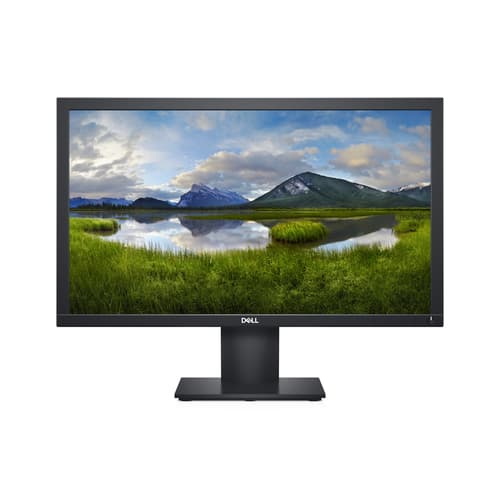
^DELL 22 E2220H BLACK
- VGA, DisplayPort
- 55.9cm (22") Full HD 1920 x 1080 LED TN
- 5ms, 16:9, 250cd/m², 1000:1
Similar Products
Overview
DELL E Series E2220H, 55.9 cm (22"), 1920 x 1080 pixels, Full HD, LCD, 5 ms, Black
Specifications
Display
- Native aspect ratio
- 16:9
- Display diagonal
- 55.9 cm (22") cm
- Display resolution
- 1920 x 1080 pixels pixels
- Display technology
- LCD
- HD type
- Full HD
- Response time
- 5 ms ms
- Contrast ratio (typical)
- 1000:1
- Touchscreen
- No
- Panel type
- TN
- Supported graphics resolutions
- 640 x 480 (VGA), 720 x 400, 800 x 600 (SVGA), 1024 x 768 (XGA), 1152 x 864 (XGA+), 1280 x 1024 (SXGA), 1600 x 900, 1920 x 1080 (HD 1080)
- Screen shape
- Flat
- Display brightness (typical)
- 250 cd/m² cd/m²
- Viewing angle, vertical
- 160° °
- Pixel density
- 102 ppi ppi
- Horizontal scan range
- 30 - 83 kHz kHz
- Vertical scan range
- 56 - 76 Hz Hz
- Maximum refresh rate
- 60 Hz Hz
- Display number of colours
- 16.78 million colours
- Backlight type
- LED
- Pixel pitch
- 0.248 x 0.248 mm mm
- Viewable size, horizontal
- 47.7 cm cm
- Viewable size, vertical
- 26.8 cm cm
- Sync-on-green (SOG)
- Yes
- High Dynamic Range (HDR) supported
- No
- DDC/CI
- Yes
- 3D
- No
- Viewing angle, horizontal
- 170° °
- Viewable size diagonal
- 54.7 cm cm
- Colour gamut
- 83% %
- Dell ComfortView technology
- Yes
Operational conditions
- Storage relative humidity (H-H)
- 5 - 90% %
- Operating altitude
- 0 - 5000 m m
- Operating relative humidity (H-H)
- 10 - 80% %
- Operating temperature (T-T)
- 0 - 40 °C °C
- Storage temperature (T-T)
- -20 - 60 °C °C
- Non-operating altitude
- 0 - 12192 m m
Weight & dimensions
- Weight (with stand)
- 3.14 kg kg
- Weight (without stand)
- 2.7 kg kg
- Bezel width (side)
- 1.78 cm cm
- Height (with stand)
- 397.3 mm mm
- Depth (without stand)
- 52.4 mm mm
- Width (with stand)
- 512.2 mm mm
- Depth (with stand)
- 171 mm mm
- Width (without stand)
- 512.2 mm mm
- Height (without stand)
- 303.7 mm mm
- Bezel width (top)
- 1.78 cm cm
- Bezel width (bottom)
- 1.78 cm cm
Packaging data
- Package width
- 125 mm mm
- Package depth
- 800.1 mm mm
- Package height
- 450.1 mm mm
- Package weight
- 4.9 kg kg
Packaging content
- Stand included
- Yes
- Manual
- Yes
- Cables included
- AC, DisplayPort
Carbon footprint
- Total carbon footprint (kg of CO2e)
- 411
- Carbon emissions, manufacturing (kg of CO2e)
- 290.62
- Carbon emissions, end-of-life (kg of CO2e)
- 1.34
- Total carbon emissions, standard deviation (kg of CO2e)
- 87
- Carbon emissions, logistics (kg of CO2e)
- 23.6
- Carbon emissions, energy usage (kg of CO2e)
- 95.3
- PAIA version
- 1.2.6, 2020
Performance
- Flicker-free technology
- Yes
- NVIDIA G-SYNC
- No
- AMD FreeSync
- No
Multimedia
- Built-in speaker(s)
- No
- Built-in camera
- No
Ports & interfaces
- VGA (D-Sub) ports quantity
- 1
- DVI port
- No
- DisplayPorts quantity
- 1
- DisplayPort version
- 1.2
- Audio input
- No
- HDCP
- Yes
- Headphone out
- No
- Built-in USB hub
- No
- HDMI
- No
- Number of upstream ports
- 0
- HDMI ports quantity
- 0
- AC (power) in
- Yes
Ergonomics
- VESA mounting
- Yes
- Cable lock slot
- Yes
- Height adjustment
- No
- Pivot
- No
- Panel mounting interface
- 100 x 100 mm mm
- Swivelling
- No
- Tilt angle range
- -5 - 21° °
- Tilt adjustment
- Yes
- On Screen Display (OSD)
- Yes
- Plug and Play
- Yes
- LED indicators
- Power
Power
- Energy consumption (SDR) per 1000 hours
- 11 kWh kWh
- Power consumption (typical)
- 10.8 W W
- Power consumption (standby)
- 0.3 W W
- Power consumption (max)
- 18 W W
- Power consumption (off)
- 0.2 W W
- Energy efficiency class (SDR)
- D
- Power consumption (PowerSave)
- 11.21 W W
- AC input voltage
- 100 - 240 V V
- AC input frequency
- 50 - 60 Hz Hz
- Input current
- 0.7 A A
- Power supply type
- Internal
- Energy efficiency scale
- A to G
Design
- Market positioning
- Home
- Product colour
- Black
- Front bezel colour
- Black
- Feet colour
- Black
Network
- Wi-Fi
- No
Sustainability
- Sustainability certificates
- ENERGY STAR
- Doesn't contain
- PVC
Other features
- On/off switch
- Yes
- Compliance certificates
- RoHS
- Ethernet LAN (RJ-45) ports
- 0
- Certification
- TCO
- TV tuner integrated
- No
Brand-specific features
- Dell Display Manager (DDM) compatibility
- Yes
Logistics data
- Harmonized System (HS) code
- 85285210
Advanced Exchange Service

Reliable and responsible
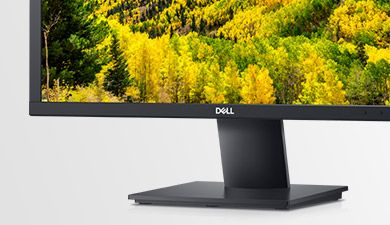
Eco-friendly inside and out
Energy reducing: Save energy with PowerNap, a feature that dims or puts the monitor to sleep when not in use.
Clean disposal: Composting or recycling the packaging is easy since it’s made with at least 25% of recycled cardboard.

A brand you can rely on
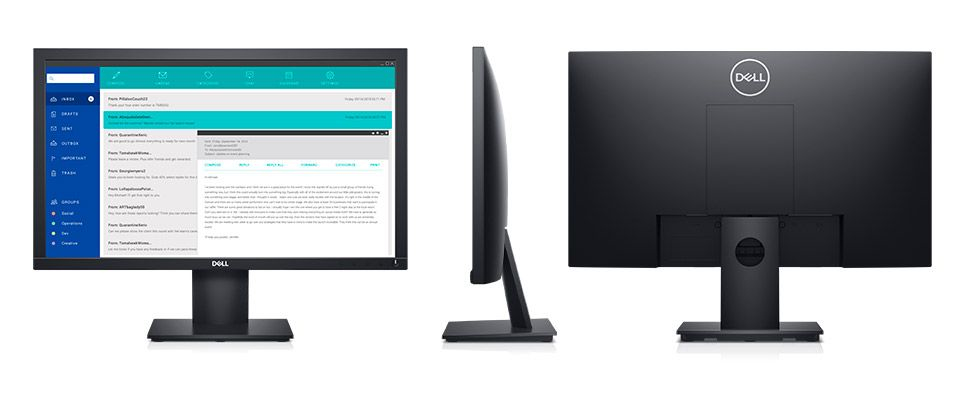
All the essentials, and then some
Enhanced views: The Full HD resolution is ideal for everyday tasks, while ComfortView is ready for extended viewing periods. It reduces up to 60% of harmful blue light emissions.
Versatile connections: Our E Series monitors accommodate legacy and non-legacy systems with convenient connectivity options like VGA and DP ports. Your workspace will be completely customized to your needs.
Adapts to your needs: Make your workspace your own with VESA-compatible mounts and stands.
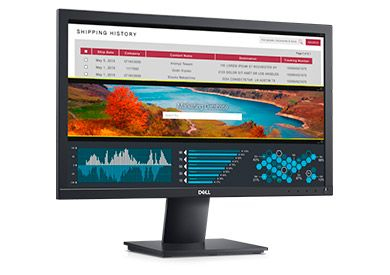
Improved Dell Display Manager
Seamless transitions: The auto-restore feature remembers where you left off, so applications will go back to where you left them, even after you’ve unplugged.
The key to convenience: Shortcut keys can save you even more time, letting you easily configure your display management settings so you can get to work faster.
More ways to manage: Asset management reports allow IT managers to quickly capture and track monitor information as well as configure multiple monitors at once through a single setup.