




Next Working Day
On qualifying orders
UK Dispatched
Fast & reliable nationwide
Expert Support
Mon–Fri, 8 am – 6 pm
Genuine Brands
Authorised reseller
Next-working-day delivery. Order before 17:30 (England & Wales) or 16:00 (Northern Ireland, Republic of Ireland, Scotland) to receive next-working-day delivery. Orders placed before 17:30 Friday are delivered Monday; after 17:30 Friday arrive Tuesday. Upgrades — pre-9, pre-10:30, pre-noon, special and secure bulk — available at extra cost.
Orders over £100 (ex VAT) receive FREE next-working-day delivery across the UK.
Instant digital delivery. Software licences, subscriptions, warranties & insurance, and electronic copies are delivered the same day via email — provided a valid email address is entered at checkout.
This product is out of stock
We can email you when it's back in stock, confirm expected lead times, or recommend in-stock alternatives that meet the same requirements.
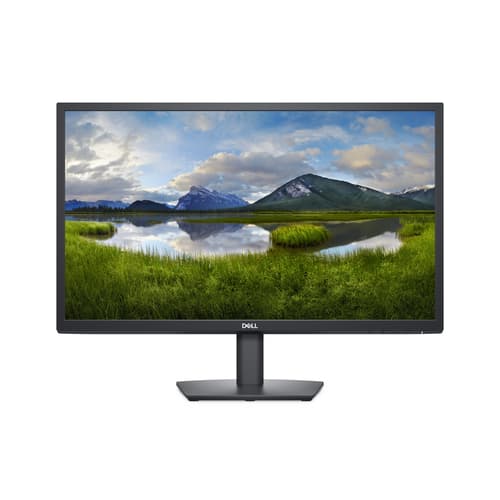
^DELL 24 E2422H
- 60.5cm (23.8") Full HD 1920 x 1080 LED IPS
- 8ms, 16:9, 250cd/m², 1000:1
- VGA, DisplayPort
Similar Products
Overview
DELL E Series E2422H, 60.5 cm (23.8"), 1920 x 1080 pixels, Full HD, LCD, 8 ms, Black
Specifications
Weight & dimensions
- Width (with stand)
- 552.6 mm mm
- Depth (with stand)
- 171 mm mm
- Weight (without stand)
- 3.2 kg kg
- Height (with stand)
- 420.4 mm mm
- Weight (with stand)
- 4.03 kg kg
- Depth (without stand)
- 49.7 mm mm
- Width (without stand)
- 552.6 mm mm
- Height (without stand)
- 331.6 mm mm
Display
- Display technology
- LCD
- Response time
- 8 ms ms
- Screen shape
- Flat
- Maximum refresh rate
- 60 Hz Hz
- Response time (fast)
- 5 ms ms
- Display diagonal (metric)
- 60.5 cm cm
- Display resolution
- 1920 x 1080 pixels pixels
- Contrast ratio (typical)
- 1000:1
- Backlight type
- LED
- Display brightness (typical)
- 250 cd/m² cd/m²
- Viewing angle, horizontal
- 178° °
- Viewing angle, vertical
- 178° °
- Pixel density
- 93 ppi ppi
- Pixel pitch
- 0.2745 x 0.2745 mm mm
- High Dynamic Range (HDR) supported
- No
- Display diagonal
- 60.5 cm (23.8") cm
- Native aspect ratio
- 16:9
- Touchscreen
- No
- HD type
- Full HD
- Panel type
- IPS
- Display number of colours
- 16.7 million colours
- Anti-glare screen
- Yes
Design
- Market positioning
- Business
- Product colour
- Black
- Front bezel colour
- Black
Ports & interfaces
- Number of upstream ports
- 0
- VGA (D-Sub) ports quantity
- 1
- DisplayPort version
- 1.2
- Built-in USB hub
- No
- HDMI
- No
- Headphone out
- No
- HDMI ports quantity
- 0
- AC (power) in
- Yes
- DisplayPorts quantity
- 1
Performance
- Component video sync
- Sync-on-green (SOG)
- Flicker-free technology
- Yes
- Low Blue Light technology
- Yes
Ergonomics
- Swivelling
- No
- Tilt adjustment
- Yes
- VESA mounting
- Yes
- Height adjustment
- No
- Pivot
- No
- Cable lock slot
- Yes
- Panel mounting interface
- 100 x 100 mm mm
- Tilt angle range
- -5 - 21° °
Power
- Energy consumption (SDR) per 1000 hours
- 16 kWh kWh
- Power consumption (max)
- 28 W W
- Energy efficiency class (SDR)
- E
- Power consumption (off)
- 0.3 W W
- Power supply type
- Internal
- Power consumption (typical)
- 16 W W
- Power consumption (standby)
- 0.3 W W
- Energy efficiency class (HDR)
- Not available
- AC input voltage
- 100 - 240 V V
- AC input frequency
- 50 - 60 Hz Hz
Multimedia
- Built-in camera
- No
- Built-in speaker(s)
- No
Network
- Wi-Fi
- No
Operational conditions
- Operating temperature (T-T)
- 0 - 40 °C °C
- Operating relative humidity (H-H)
- 10 - 80% %
Packaging content
- Cables included
- DisplayPort, VGA
- Stand included
- Yes
Other features
- Ethernet LAN (RJ-45) ports
- 0
Sustainability
- Sustainability certificates
- ENERGY STAR, EPEAT Gold
Logistics data
- Harmonized System (HS) code
- 85285210
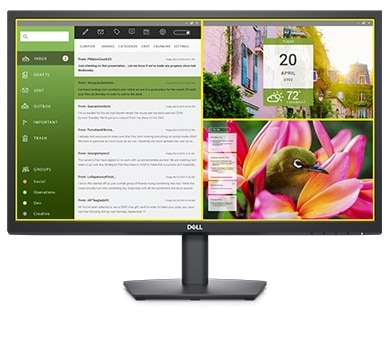
Dell Display Manager
Seamless transitions: The auto-restore feature remembers where you left off, so applications will go back to where you left them, even after you’ve unplugged.
The key to convenience: Shortcut keys can save you even more time, letting you easily configure your display management settings so you can get to work faster.
More ways to manage: Asset management reports allow IT managers to quickly capture and track monitor information as well as configure multiple monitors at once through a single setup.
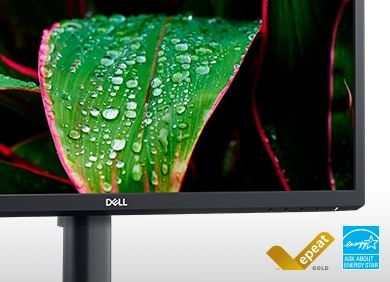
Green thinking for today and tomorrow
Energy conservation: Save energy when your monitor is not in use with PowerNap, a feature that dims or puts your monitor to sleep when it’s not in use.
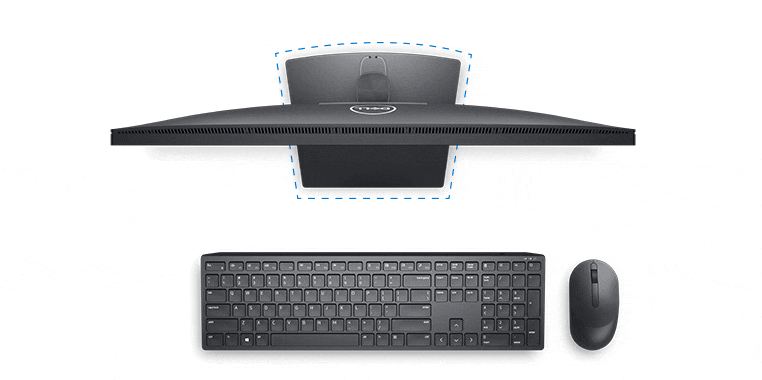
Functional, space-saving design
Maximize your desktop: Cut clutter with space-saving features like a compact stand and improved cable management that hides cables while complementing any workspace.
Clean, simple design: A slim bezel adds a modern look.
Adapts to your needs: Make your workspace your own with VESA-compatible mounts and stands.
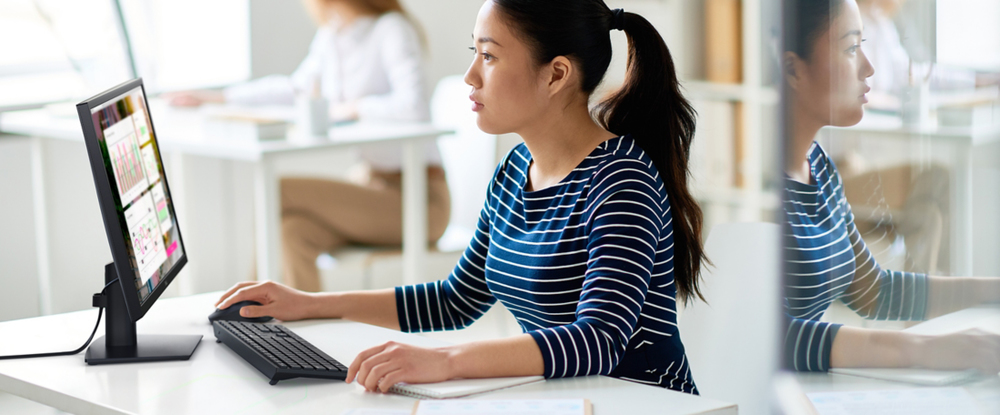
The essentials you need to be more productive
Easy on the eyes: This monitor has a flicker-free screen with ComfortView, a software feature that reduces harmful blue light emissions. It’s designed to optimize eye comfort even over an extended period of time.