





Next Working Day
On qualifying orders
UK Dispatched
Fast & reliable nationwide
Expert Support
Mon–Fri, 8 am – 6 pm
Genuine Brands
Authorised reseller
Next-working-day delivery. Order before 17:30 (England & Wales) or 16:00 (Northern Ireland, Republic of Ireland, Scotland) to receive next-working-day delivery. Orders placed before 17:30 Friday are delivered Monday; after 17:30 Friday arrive Tuesday. Upgrades — pre-9, pre-10:30, pre-noon, special and secure bulk — available at extra cost.
Orders over £100 (ex VAT) receive FREE next-working-day delivery across the UK.
Instant digital delivery. Software licences, subscriptions, warranties & insurance, and electronic copies are delivered the same day via email — provided a valid email address is entered at checkout.
This product is out of stock
We can email you when it's back in stock, confirm expected lead times, or recommend in-stock alternatives that meet the same requirements.
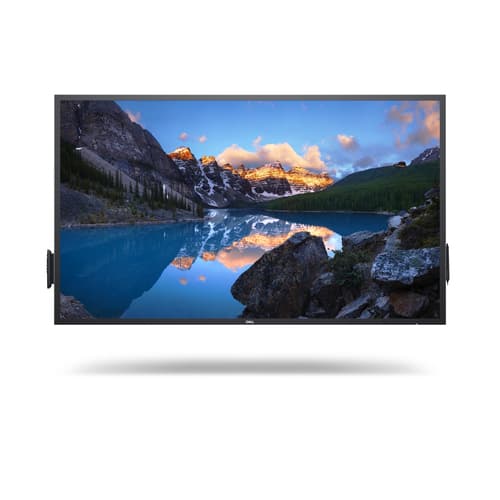
^DELL 65 4K INTERACTIVE TOUCHC6522QT
- 163.91cm (64.53") 4K 3840 x 2160 LED IPS
- 9ms, 16:9, 350cd/m², 1300:1
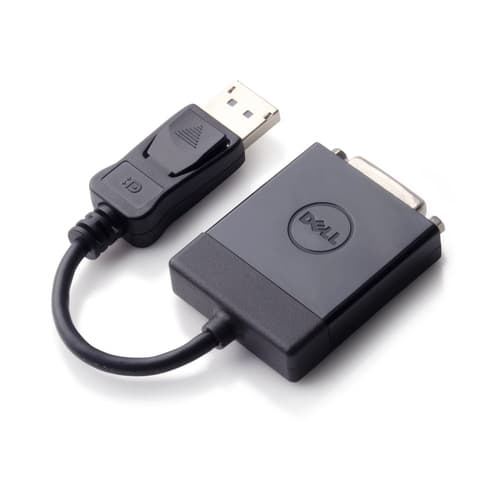
- RJ-45, HDMI, DisplayPort, USB
Similar Products
Overview
DELL C6522QT, Interactive flat panel, 163.9 cm (64.5"), LCD, 3840 x 2160 pixels
Specifications
Display
- Display brightness
- 350 cd/m² cd/m²
- Touchscreen
- Yes
- LED backlight
- Yes
- Number of simultaneous touchpoints
- 20
- Multi-touch
- Yes
- Display diagonal
- 163.9 cm (64.5") cm
- Display technology
- LCD
- Display resolution
- 3840 x 2160 pixels pixels
- HD type
- 4K Ultra HD
- Panel type
- IPS
- Colour gamut
- 72% %
- Response time
- 9 ms ms
- Contrast ratio (typical)
- 1300:1
- Display number of colours
- 1.073 billion colours
- Active display area (W x H)
- 1428.5 x 803.5 mm mm
- Horizontal scan range
- 30 - 140 kHz kHz
- Vertical scan range
- 24 - 75 Hz Hz
- Native aspect ratio
- 16:9
- Viewing angle, horizontal
- 178° °
- Viewing angle, vertical
- 178° °
- Pixel pitch
- 0.372 x 0.372 mm mm
- Display diagonal (metric)
- 163.906 cm cm
- Native refresh rate
- 60 Hz Hz
Ports & interfaces
- HDMI ports quantity
- 3
- DVI port
- No
- DisplayPorts quantity
- 1
- USB port
- Yes
- HDMI version
- 2.0
- DVI-I ports quantity
- 0
- Ethernet LAN (RJ-45) ports
- 1
- Audio (L/R) out
- 1
- DVI-D ports quantity
- 0
- VGA (D-Sub) input ports
- 0
- USB ports quantity
- 8
- USB version
- 3.2 Gen 1 (3.1 Gen 1)
- USB connector type
- USB Type-C
- RS-232 interface
- Yes
Design
- Product design
- Interactive flat panel
- Bezel width (side)
- 4.47 cm cm
- VESA mounting
- Yes
- Orientation
- Horizontal
- Panel mounting interface
- 400 x 400 mm mm
- Product colour
- Black
- Placement supported
- Indoor
- Bezel width (bottom)
- 4.47 cm cm
- Bezel width (top)
- 4.47 cm cm
Power
- Power consumption (max)
- 350 W W
- Power consumption (standby)
- 0.3 W W
- Power consumption (typical)
- 92.9 W W
- AC input voltage
- 100 - 240 V V
- AC input frequency
- 50 - 60 Hz Hz
- Power consumption (off)
- 0.3 W W
- Energy efficiency class (SDR)
- F
- Energy consumption (SDR) per 1000 hours
- 93 kWh kWh
- Heat dissipation
- 316.99 BTU/h BTU/h
Audio
- Built-in speaker(s)
- No
- Number of built-in speakers
- 2
- RMS rated power
- 40 W W
- Speaker impedance
- 8 Ω Ω
- Speaker frequency range
- 120 - 20000 Hz Hz
Performance
- Purpose
- Corporate
- On Screen Display (OSD)
- Yes
Computer system
- Built-in processor
- No
- Computer system
- No
Weight & dimensions
- Width
- 1517.9 mm mm
- Depth
- 78.7 mm mm
- Height
- 892.9 mm mm
- Weight
- 45.2 kg kg
Packaging data
- Package weight
- 55.5 kg kg
Operational conditions
- Operating temperature (T-T)
- 0 - 40 °C °C
- Operating relative humidity (H-H)
- 10 - 80% %
- Storage temperature (T-T)
- -20 - 60 °C °C
- Storage relative humidity (H-H)
- 5 - 90% %
Logistics data
- Harmonized System (HS) code
- 85285210
Carbon footprint
- Total carbon emissions, standard deviation (kg of CO2e)
- 278
- Carbon emissions, manufacturing (kg of CO2e)
- 799.7
- Carbon emissions, logistics (kg of CO2e)
- 286
- Carbon emissions, end-of-life (kg of CO2e)
- 18.4
- Total carbon footprint (kg of CO2e)
- 2060
- Carbon emissions, energy usage (kg of CO2e)
- 957
- PAIA version
- 1.2.14, 2021
Network
- Ethernet LAN
- Yes
- Wi-Fi
- No
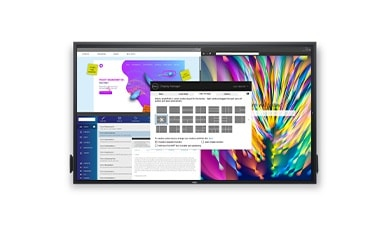
Dell Display Manager
More ways to manage: Asset management reports allow IT managers to quickly capture and track monitor information as well as configure multiple monitors at once through a single setup.
The key to convenience: Shortcut keys can save you even more time, letting you easily configure your display management settings so you can get to work faster.

A brand you can rely on
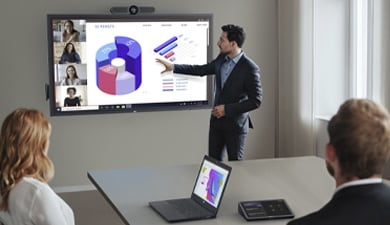
Simplified set up
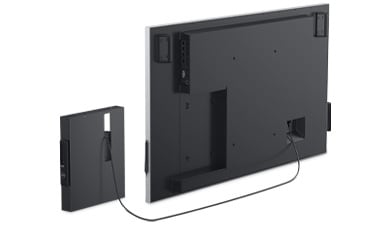
All-in-one convenience: Seamlessly integrate an optional Dell OptiPlex Micro and allow IT to select the best option for varying business needs. Upgrade as you grow or easily upload your preferred corporate image with this agile display solution.
Secure deployment: Secure your OptiPlex Micro in a powered compartment at the back of the display, for security, convenient cable management, cable security and to avoid misplacement or unintended PC user engagement.
A smooth deployment: With a few painless steps, and a couple of extra hands, it’s simple to install this Dell conference room solution to a solid wall. Our displays are VESA compatible, so you can pick the mounting solution that best fits your space, whether that’s a mobile cart, stand or wall mount.
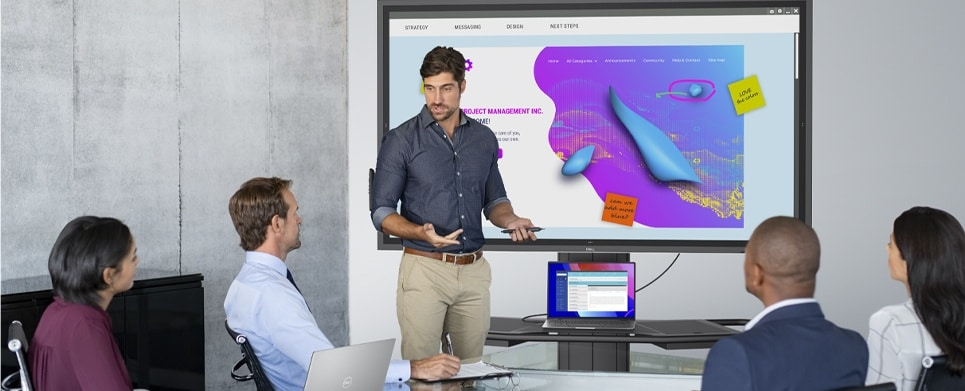
Brilliant presentations. In every sense of the word.
Clearly captivating: Experience exceptionally sharp images and text in 4K resolution with monitor scaling technology that optimizes text and fonts for greater legibility. ComfortView and anti-glare, anti-smudge coatings deliver greater legibility and a better extended viewing experience.
Striking presentations: No matter where you stand or sit, the image quality is consistent thanks to In-Plane Switching (IPS) technology.
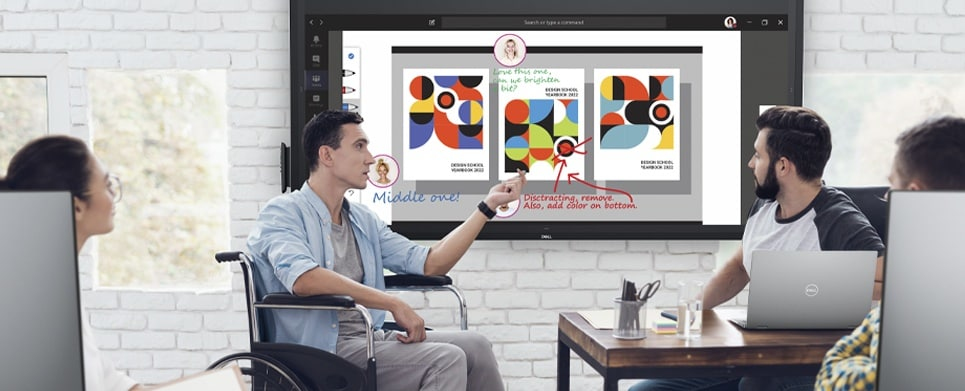
Surround yourself with real-time collaboration
Group work without the wait: Twenty-point InGlass™ Touch technology allows multiple workers to interact with the screen simultaneously, eliminating wait time for more natural collaboration. And, since the touch functionality is compatible with most industry standard software, it integrates seamlessly into however you work.
Write naturally: Palm rejectionallows users to rest their hands naturally onscreen without unwanted marks.
Exclusive to Dell, inclusive for all: Our unique Dell Screen Drop is the world’s first accessibility feature, designed to improve reachability for users working from different heights .
Convenient connectivity
Power of USB-C: Enjoy uninterrupted productivity and keep your laptop battery charged with up to 90W of power delivery.
Manage your meeting spaces: With RS232 and RJ45 interfaces, you can use remote management tools to maintain and control your Large Format monitor with a network control system.

Green thinking: for today and tomorrow
Eco-conscious packaging: To reduce our manufacturing impact on the environment, this monitor is shipped Styrofoam-free and the packaging is made of at least 75% recycled cardboard.
Energy conservation: Save energy when your monitor is not in use with Power Nap, a feature that dims or puts your monitor to sleep when it’s not in use.