For most of the last decade the honest reason not to bother with augmented reality was the app. Asking a customer to visit an app store, install something and grant it camera access — all before they have decided to buy anything — loses almost all of them. That requirement has quietly disappeared, and most businesses have not noticed.
AR is now part of the phone, not a product you buy
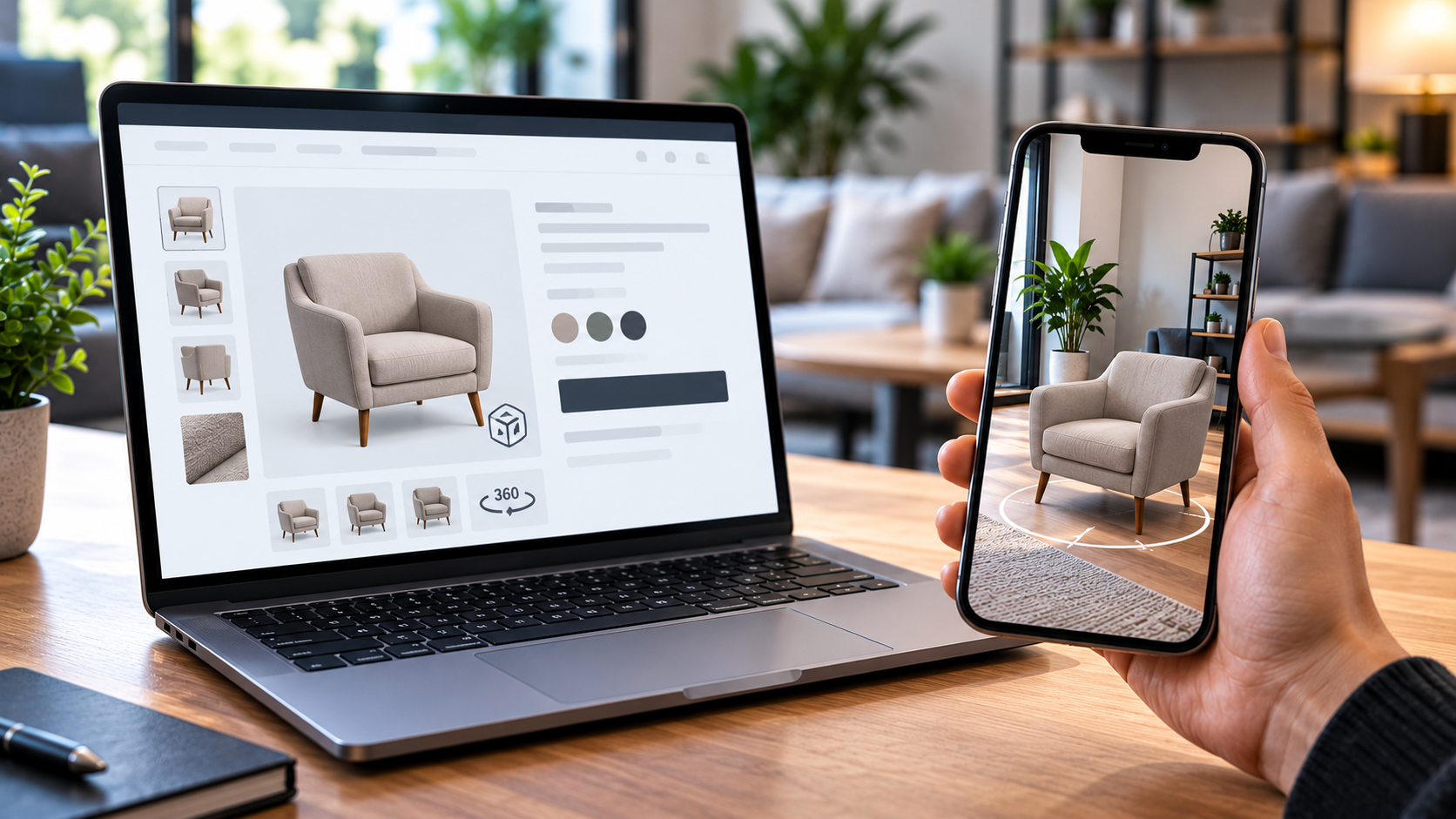
Augmented reality is built into both mobile operating systems, and it can be reached straight from an ordinary web page. On an iPhone it opens through Safari's AR Quick Look. On Android it opens through Chrome, using Scene Viewer or WebXR. The customer taps a button on your website, the camera opens inside the phone's own AR interface, and your product appears in the room in front of them.
There is no app, no store listing, no install step and no separate AR platform to subscribe to. The software that drives it is free and open source, and the AR itself is a feature of the operating system — so there is no licence fee and no charge per view.
Which devices can actually do it
In practice: most iPhones and iPads from 2015 onward, and Android devices that support Google Play Services for AR. That covers the overwhelming majority of phones in use in the UK.
The more important question is what happens on the devices that cannot. A visitor on an older phone, a locked-down work machine or — most commonly — a desktop computer is not shown a broken button. They get the interactive 3D viewer instead: the same model, on the same page, which they can turn, zoom and reconfigure. That matters more than it sounds, because for most business websites desktop visitors are the majority of the traffic. The 3D viewer is the feature that nearly everyone sees; the AR button is the one that converts the people standing in the room where the product has to go.
What the customer experiences
- They are on your product page, looking at the photographs as usual.
- Alongside them is a 3D model they can spin and inspect, and change the colour or specification of.
- On a phone, a button hands that model to the operating system's AR view.
- The camera opens, the phone finds the floor, and the product stands on it at its real physical size.
- They walk around it, look at it against their own units and doorways, and decide.
Whatever specification they chose on the page is carried into the AR session rather than reverting to a default, so they are looking at the version they would actually buy.
The limitation worth knowing before you commit
Both AR systems work out where the floor is by looking for visual detail in the camera feed. That means some surfaces are easier than others:
| Works well | Harder for the phone |
|---|---|
| Patterned flooring, tiles, floorboards | Plain, single-colour carpet |
| Gravel, tarmac, textured ground | Wet uniform paving |
| Concrete with any variation in it | Flat lawn in dull light |
The phone is not failing when this happens; it simply has less to lock onto. It is a solvable problem — the on-screen guidance can be designed around it, asking the customer to move the phone slowly or to aim at a different patch of floor — but anyone promising that AR works flawlessly on any surface in any light is overselling it.
Is this different from a 360-degree spinner?
Yes, and the difference is the entire point. A spinner shows your product from every angle, but always at the size of your web page. AR puts it in the customer's own room at its true physical size, next to their own furniture, doorways and vehicles. The question a spinner answers is what does it look like. The question AR answers is will it fit — and that is the question that stalls expensive purchases. There is more on that in why AR sells large products better than photos.
Where to start
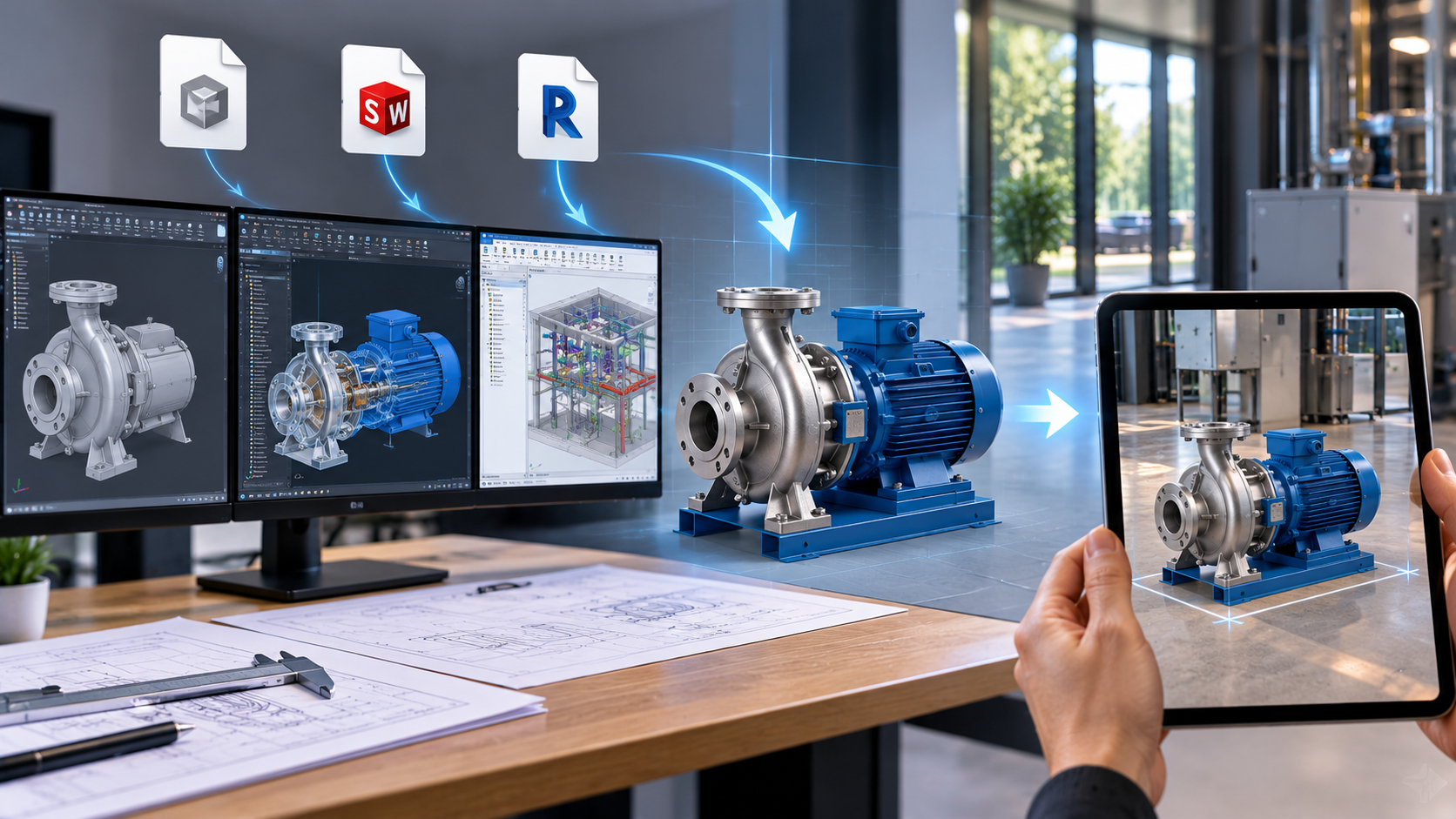
The work is not the website integration — that part is a single embed. The work is producing a 3D model of each product, and how much that costs depends entirely on what you already hold. If you manufacture what you sell, you are probably most of the way there already: see using STEP, SolidWorks and Revit files for AR and what augmented reality actually costs.
Apaxon builds WebAR and 3D product viewers for UK businesses, and there are working demonstrations on that page you can try from the phone in your hand. If you want to know what it would take for your products, get in touch.
Get the latest IT insights
Expert tips, infrastructure news, and product updates — delivered weekly.